Ilert

Ilert is an incident management platform. This module triggers alerts and manages incidents.
Configuration
| Name | Type | Description |
|---|---|---|
integration_key |
string |
The integration key of your ilert alert source |
integration_url |
string |
URL of the ilert Events API endpoint |
Actions
Trigger Alert
Trigger alert to Ilert
Arguments
| Name | Type | Description |
|---|---|---|
alert_uuid |
string |
The Unique identifier of the alert |
api_key |
string |
The Sekoia.io API-Key to read the alert content. |
base_url |
string |
Base URL of Sekoia.io api (e.g. https://api.sekoia.io/). |
Set up
Configuration
Forward Sekoia.io alerts to Ilert via the Trigger Alert action so your on-call teams are notified and security incidents are tracked through to resolution.
In Ilert: Create a Sekoia.io alert source
-
Go to
Alert sources>Alert sourcesand clickCreate new alert source.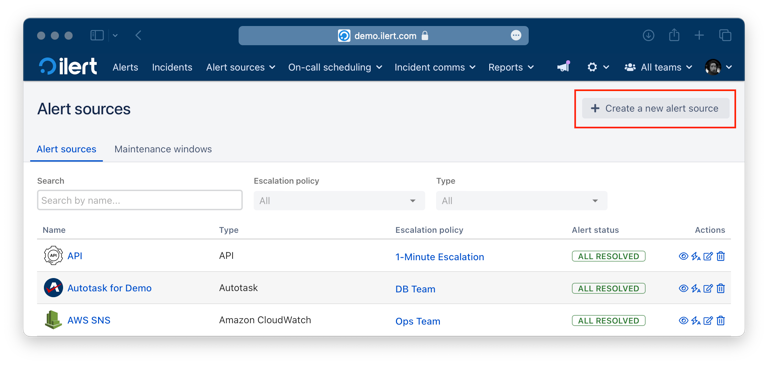
-
Search for
Sekoia.ioin the search field, click theSekoia.iotile, and then clickNext.
-
Give your alert source a name, optionally assign teams, and click
Next. Then select an escalation policy by creating a new one or assigning an existing one.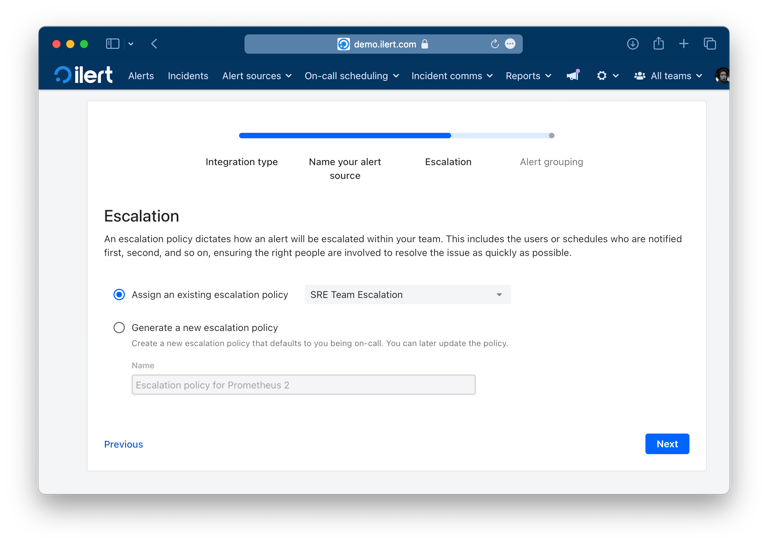
-
Select your alert grouping preference and click
Continue setup. You may clickDo not group alertsfor now and change it later.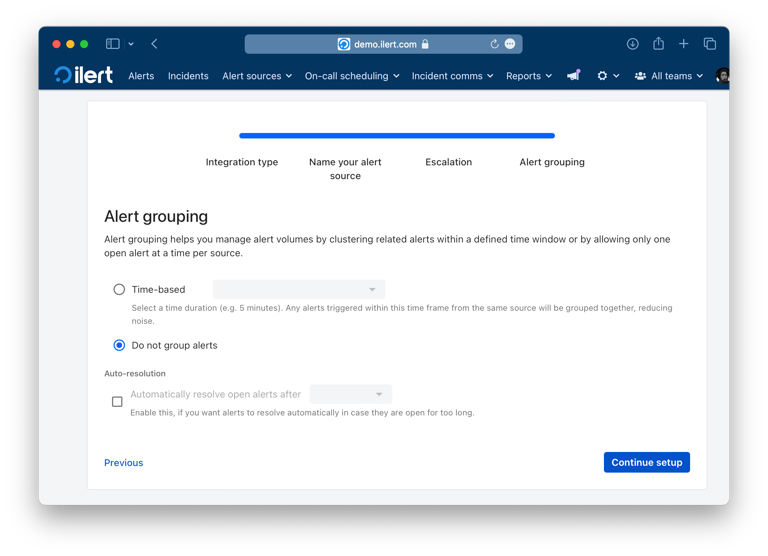
-
The next page shows additional settings, such as custom alert templates or notification priority. Click
Finish setupfor now. On the final page, copy the generatedintegration keyandSekoia.io URL. You will use both in the next steps.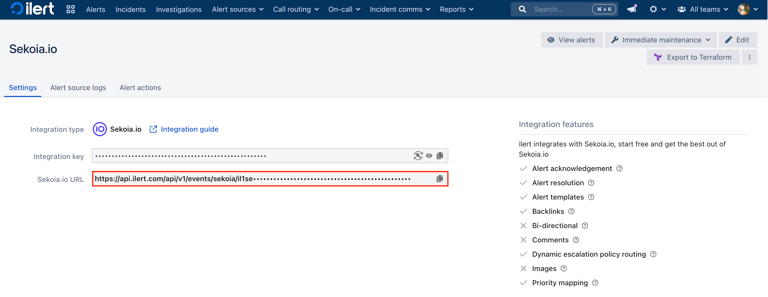
In Sekoia.io: Connect the Ilert integration
-
In Sekoia.io, open
Integrationsfrom the sidebar.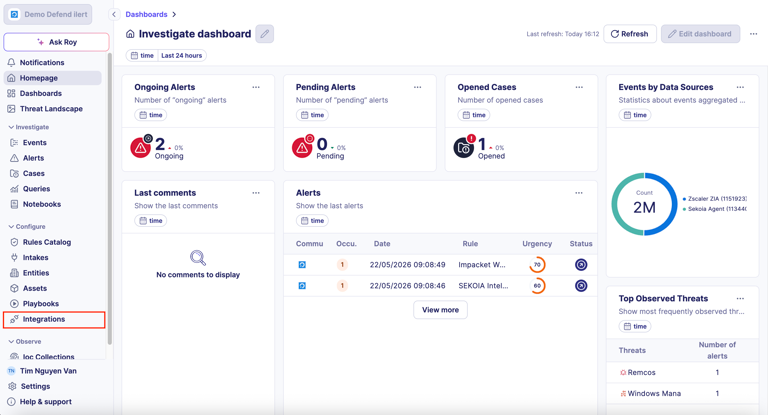
-
Search for
Ilertand select the Ilert integration from the results.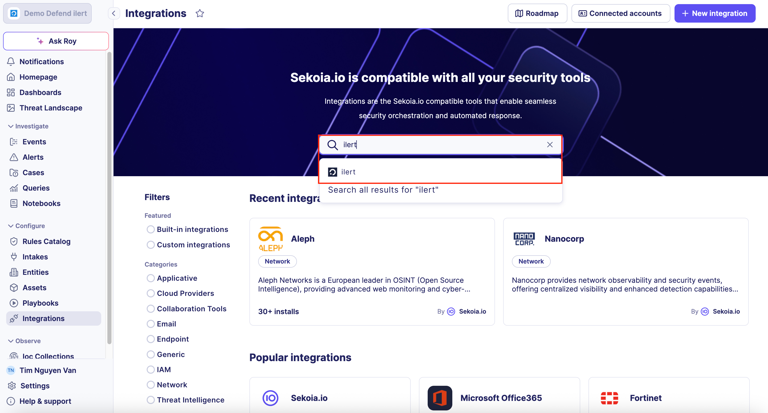
-
Click
Show accounts, thenConnect an account.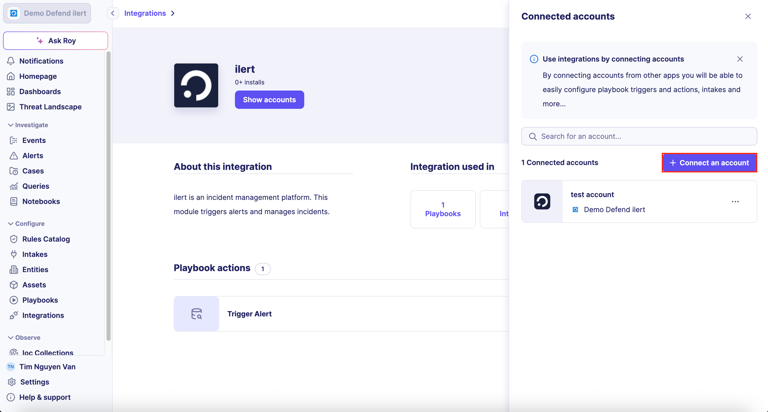
-
Fill in the
Add new accountform:Give a name to this account: a label of your choice (e.g.ilert account).Integration Key: the integration key from your ilert alert source.Integration Url:https://api.ilert.com/api/v1/events/sekoia.
Click
Add account.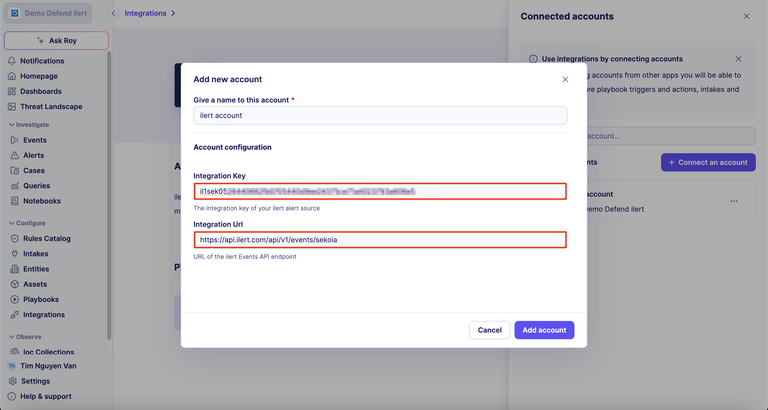
In Sekoia.io: Use the Trigger Alert action in a playbook
-
Open or create a playbook in Sekoia.io, then add the
Trigger Alertaction from the Ilert integration. In theAccounttab, select the Ilert account you just connected, configure the action input, and save the playbook.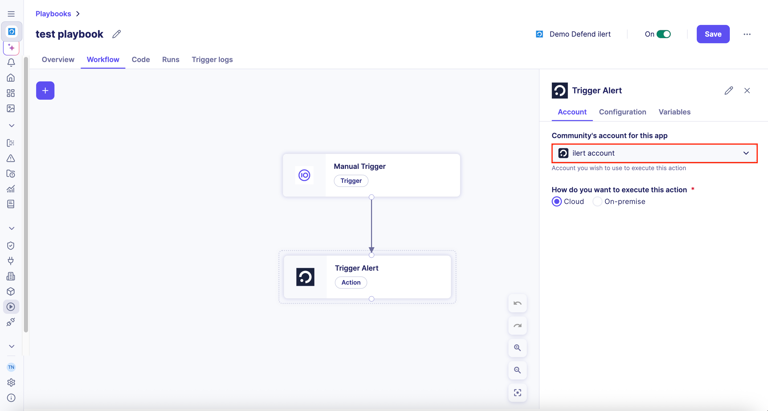
Whenever the playbook runs the Trigger Alert action, a new alert is created on the corresponding Sekoia.io alert source in Ilert.
Note:If a Sekoia.io event is sent with thestatuskey set toresolvedorclosed, the corresponding Ilert alert is resolved automatically. If thestatuskey is set toacknowledged, the alert is acknowledged automatically.
Extra
Module Ilert v1.0.0