AI intake parser overview
The AI intake parser generates a custom intake parser for you from sample logs, instead of requiring you to build it stage by stage. An AI agent analyzes the logs you upload, writes a parser that maps them to the Elastic Common Schema (ECS), and tests that parser against your samples before handing it back.
Early Access
This feature is currently in Early Access and is only available for Beta testers. Sekoia.io plans to roll out this functionality to all environments soon.
Availability note
This feature is available to all users during the Early Access Program (EAP). After EAP, it will be available on the Prime subscription only.
How the agent works
You start the agent from the Generate parser button on a custom intake, and you give it one or more files of sample logs. From there the agent works on its own.
The agent generates a parser, then runs that parser against the log samples you provided. If a test does not pass, the agent revises the parser and tests it again. Several attempts may be needed before it converges on a working parser.
While the agent runs, a progress popup reports the step it is currently on and the attempt it is currently making, so you can follow the generate and self-test loop as it happens.
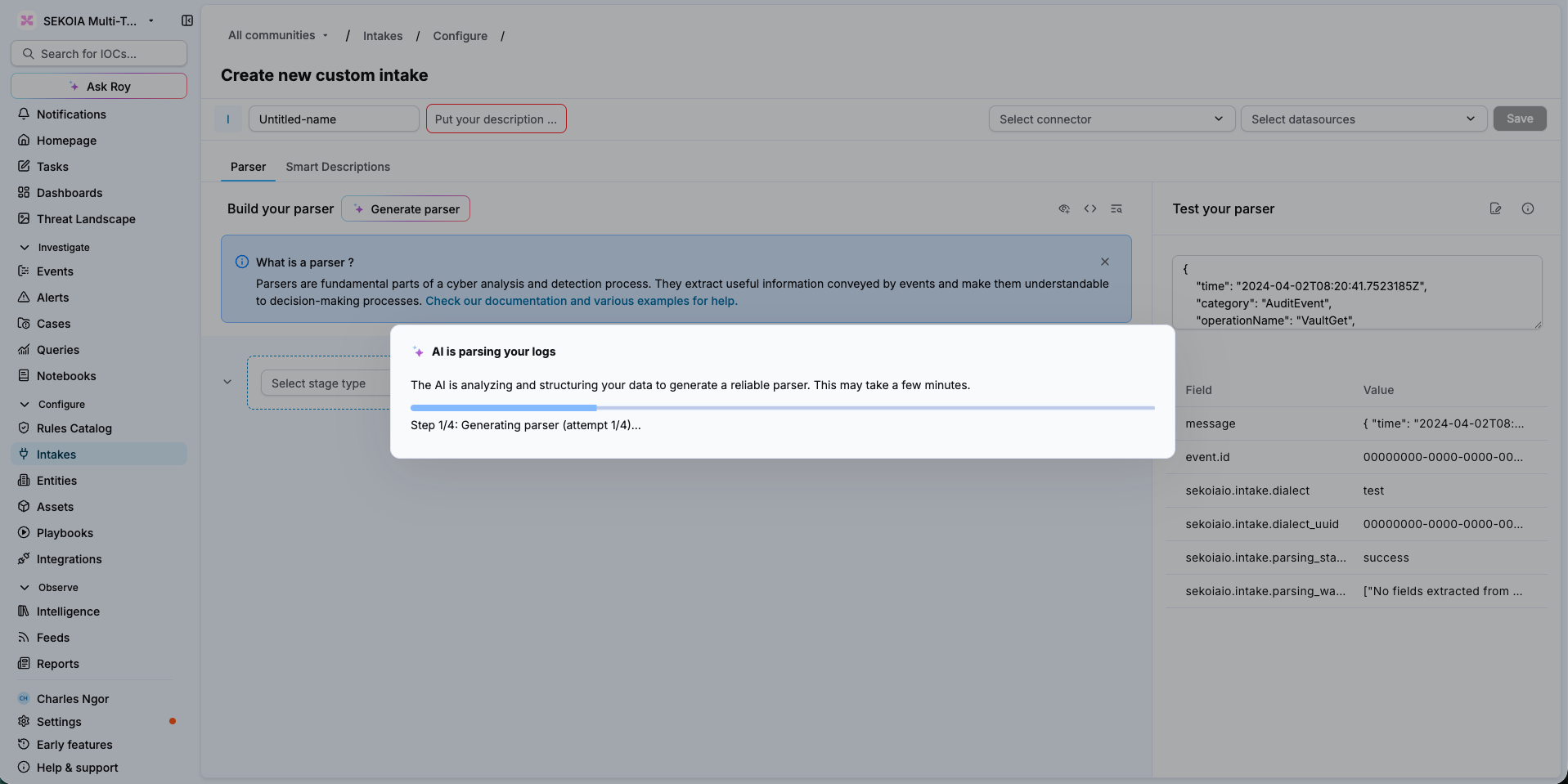
When the agent finishes, the popup closes and the parser appears in the parser builder, already configured.
What the agent produces
The agent produces an standard Sekoia parser. It is the same chain of stages you would have written by hand: stages that pattern-match the raw event, extract its values, and reshape them into structured ECS fields.
The generated stages are visible in the parser builder, you can edit any of them, and you can keep testing the parser against a sample event in Test your parser. The agent gives you a working starting point rather than a black box.
When to use it
Building a parser by hand requires the Sekoia parser training course, a working knowledge of stage chaining, familiarity with ECS field mapping, and several rounds of trial and error against sample logs. The AI intake parser removes that barrier for the cases where custom parsing is unavoidable:
- Sources absent from the catalog. Proprietary in-house applications and niche security appliances that the 300+ built-in intakes do not cover.
- Migration to Sekoia. Legacy parsers carried over from a previous platform, which otherwise have to be rebuilt one by one before the migration can complete.
- Evaluations and proofs of concept. Ingesting a prospect's own log source quickly, without waiting on a parser to be authored.
- Extending a parser you already have. A source that started emitting a new log variant your existing parser does not handle yet.
Working from an existing parser
The agent is not limited to creating parsers from scratch. Run it on a custom intake that already has a parser, and it updates that parser so it also handles the log samples you upload, rather than discarding the existing one and starting over.
This makes the agent useful well after the initial setup, whenever a source changes shape or a log type turns out to be unparsed.
Why sample coverage matters
The more log samples you provide, the more context the agent has, and the more reliable the parser it produces.
Sample coverage also defines the boundaries of what the agent verifies. The agent tests the parser it writes against the samples you gave it, and only against those. A log variant you did not upload is a variant the agent never tested, and it may not be parsed correctly. When a source emits several distinct event types, include a sample of each.
Related articles
- Generate a parser with AI: Step-by-step instructions to generate a new parser, or update an existing one, from sample logs.
- Intakes: How intakes collect events, and how to monitor the health of a data source.
- Create a Format: How to create a custom intake, on the platform or through the intake-formats repository.
- How to write a parser: Reference for parser stages, filters, conditions and the fields manager, for when you edit what the agent produced.
- Definition of the taxonomy: How ECS fields and custom fields are declared for a format.
- Definition of a structured event: What a parser is expected to output.