Create a case template
Case templates let you define a reusable structure for a given incident type, combining custom fields, tasks, and a notebook template. Once created, a template is available to all analysts when opening or updating a case.
Before you start
You need access to Settings to create and manage case templates. Contact your workspace administrator if the Configuration section is not visible in your Settings.
Create a template
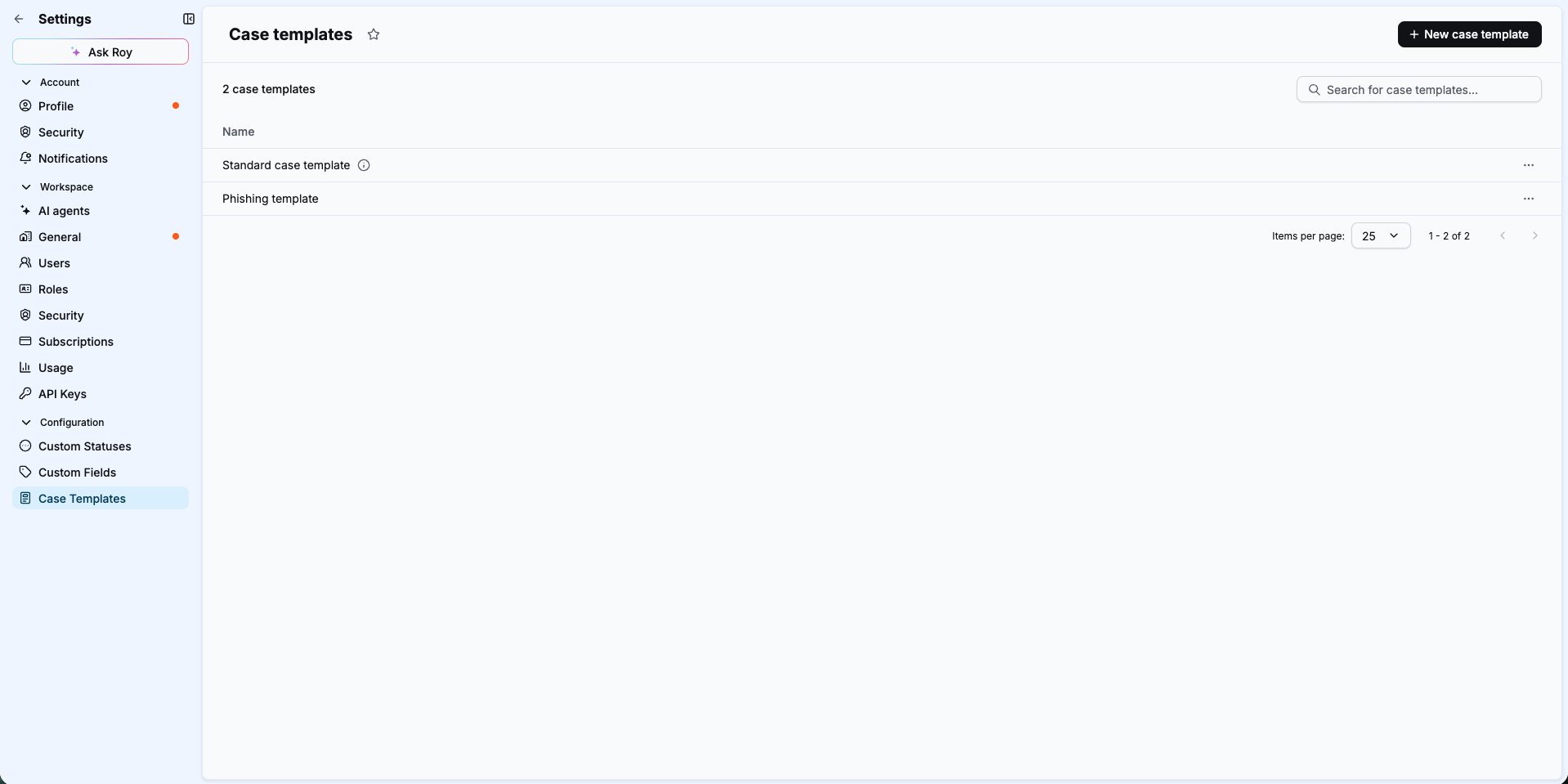
- In the left navigation, select Settings.
- Under Configuration, select Case Templates.
- Select New case template.
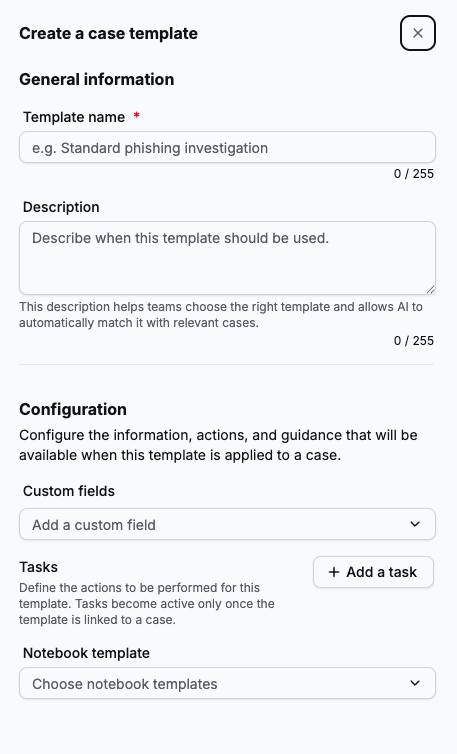
- In the Template name field, enter a clear, descriptive name for the template (for example,
Standard phishing investigation). - In the Description field, enter a short explanation of when to use this template. A good description helps analysts choose the right template and allows AI to automatically match it with relevant cases.
- Under Custom fields, select Add a custom field and choose one or more fields from the dropdown. Repeat for each field you want to include.
Custom fields must exist first
The dropdown only lists custom fields that have already been created in Settings > Configuration > Custom Fields. Create any missing fields before configuring your template.
- Under Tasks, select + Add a task to add investigation steps. For each task, enter a name. Optionally, add a description to provide guidance for the analyst.
- Under Notebook template, select Choose notebook templates and pick the investigation notebook to attach.
- Select Save to create the template.
Edit, duplicate, or delete a template
On the Case Templates list page, select the ... menu at the end of a template row to access the following options:
- Edit: update the template's name, description, custom fields, tasks, or notebook template.
- Duplicate: create a copy of the template to use as a starting point for a new one.
- Delete: permanently remove the template. This does not affect cases that already have the template applied.
Related articles
- Case templates: Overview of what case templates are and how they work.
- Apply a case template to a case: How to apply a template at case creation or on an existing case.
- Custom fields: Reference for the custom fields available to include in templates.