Customize a detection rule's runbook
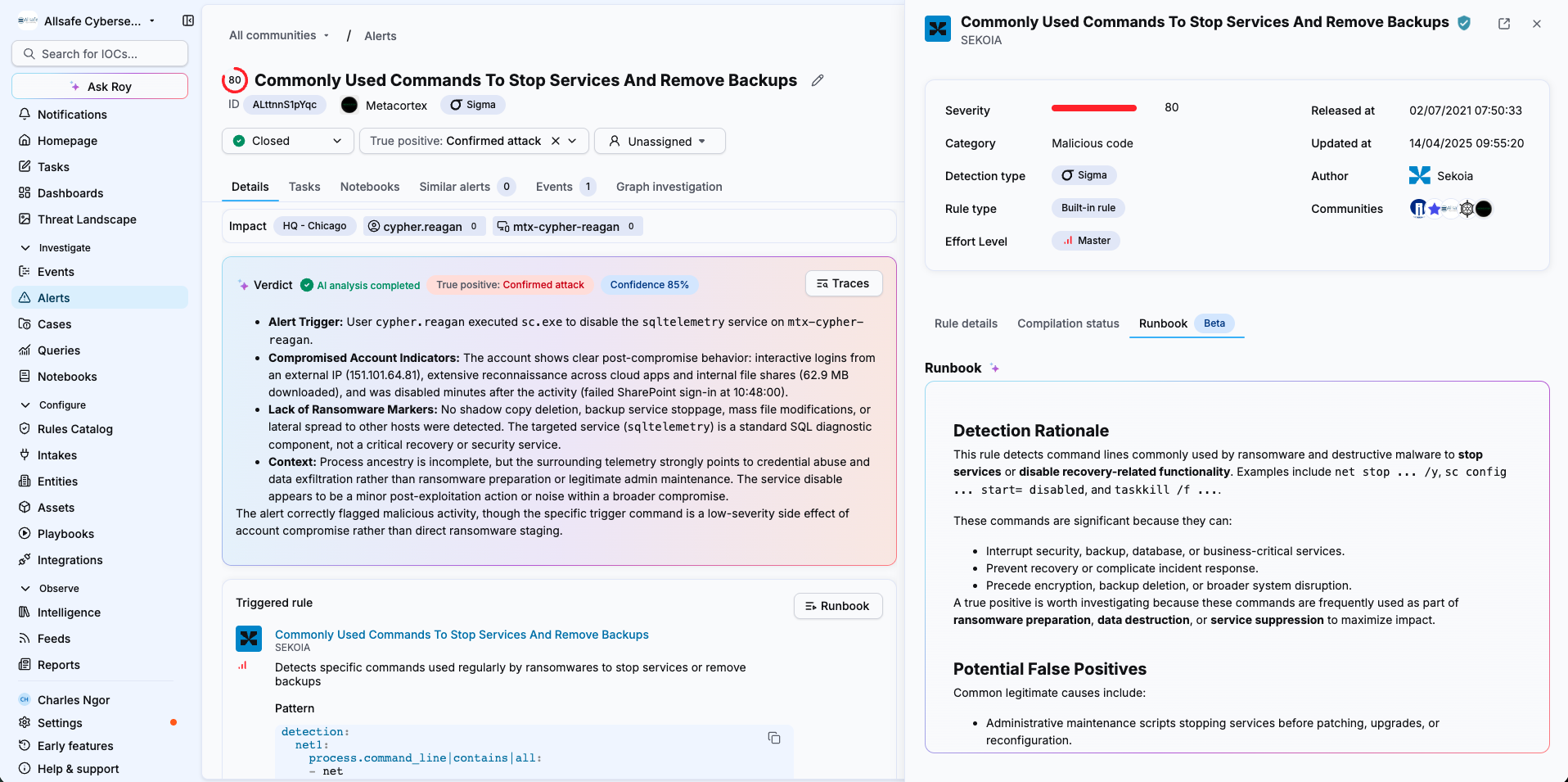
A runbook defines how the Elevate agent reasons and carries out its investigation for a given detection rule. This article explains how to open a runbook and edit its three sections to align the agent's investigations with your SOC's practices.
Prerequisites
- Elevate is activated on your workspace or community. See Activate Elevate on a workspace.
- You understand how runbooks fit into an investigation. See The Elevate investigation method.
Understand the three runbook sections
Sekoia Elevate generates a runbook automatically for every detection rule, including your custom rules. Each runbook has three sections you can edit at any time:
| Section | Purpose |
|---|---|
| Detection Rational | Context for the agent about why the alert exists and what the detection is aiming to identify. |
| Legitimate scenarios | The benign situations that could trigger this detection. Describing them helps the agent spot likely false positives. |
| Investigation questions | The questions the agent works through during the investigation. They are closely tied to the reasoning questions shown on the alert and can be expanded or modified. The agent may also add its own questions while processing an alert. |
Custom rules vs. Sekoia rules
You can edit the runbook of any detection rule you created. If the triggering rule was built by Sekoia, duplicate it and edit the runbook on the copy. The duplicated rule will not receive automatic updates from Sekoia.
Edit the runbook
- Open an alert triggered by the rule you want to customize.
- In the Triggered rule section, select Runbook.
- At the bottom of the runbook panel, select Edit runbook.
- Edit the Detection Rational, Legitimate scenarios or Investigation questions according to your needs.
- Select Save runbook.
Scope of runbook changes
Runbook modifications apply to all communities in your workspace. From the next alert triggered by this rule, the agent applies your updated runbook.
Result
The agent uses your updated runbook for every new alert triggered by this detection rule. Your changes to the investigation questions appear among the reasoning questions on those alerts.
Related articles
- The Elevate investigation method: How runbooks, reasoning questions, findings and verdicts work together.
- Add custom instructions for an Elevate agent: How to give the agent environment-specific context at the workspace or community level.
- Write effective instructions for Elevate: Guidance and examples for instructions that improve investigation quality.