Audit an Elevate investigation with Traces
Traces show the complete timeline of actions the Elevate agent performed during an investigation. Use them to audit exactly what the agent did, how long each step took, and which queries it ran.
Prerequisites
- The alert or case has been analyzed by Elevate. A verdict is present and the analysis is complete.
Open the Traces panel
- Open an alert or case that Elevate has analyzed.
- In the Verdict panel, select Traces.
The Traces side panel opens, showing the timeline of actions the agent performed during the investigation.
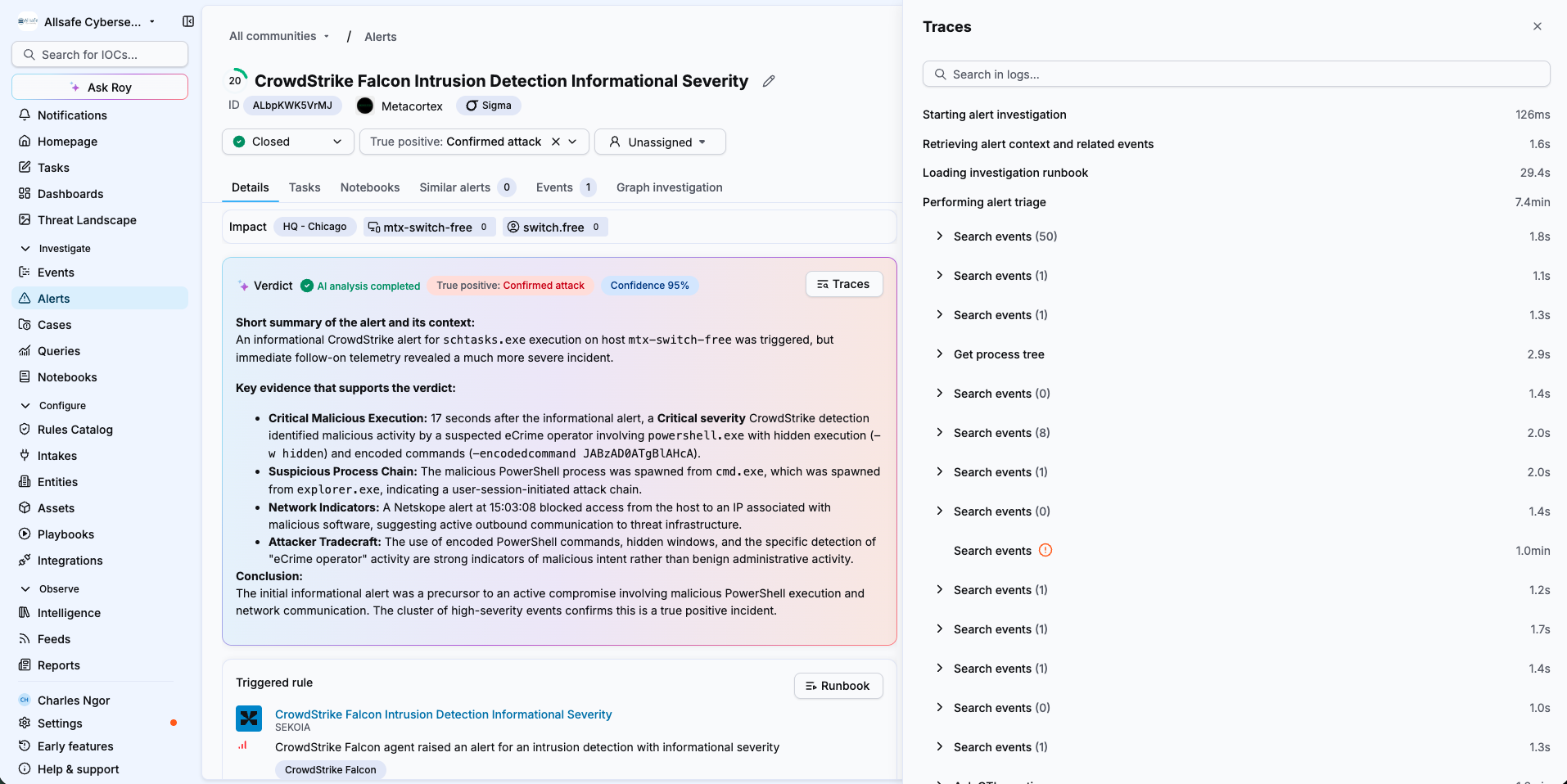
What the Traces panel shows
The panel lists the agent's actions in chronological order, each with its duration, from the start of the investigation to its completion. For example, you see the agent retrieve the alert context and related events, load the investigation runbook, perform the alert triage, and run an in-depth investigation.
Under each phase, the panel nests the individual actions the agent took, such as the Search events queries it ran during triage. Each action shows how long it took and, for searches, how many results it returned. Actions that failed are flagged with an error icon.
Traces capture the full set of actions behind the verdict, including the queries executed, event searches and CTI searches, so you can see the volume of actions the agent took and the time spent on each.
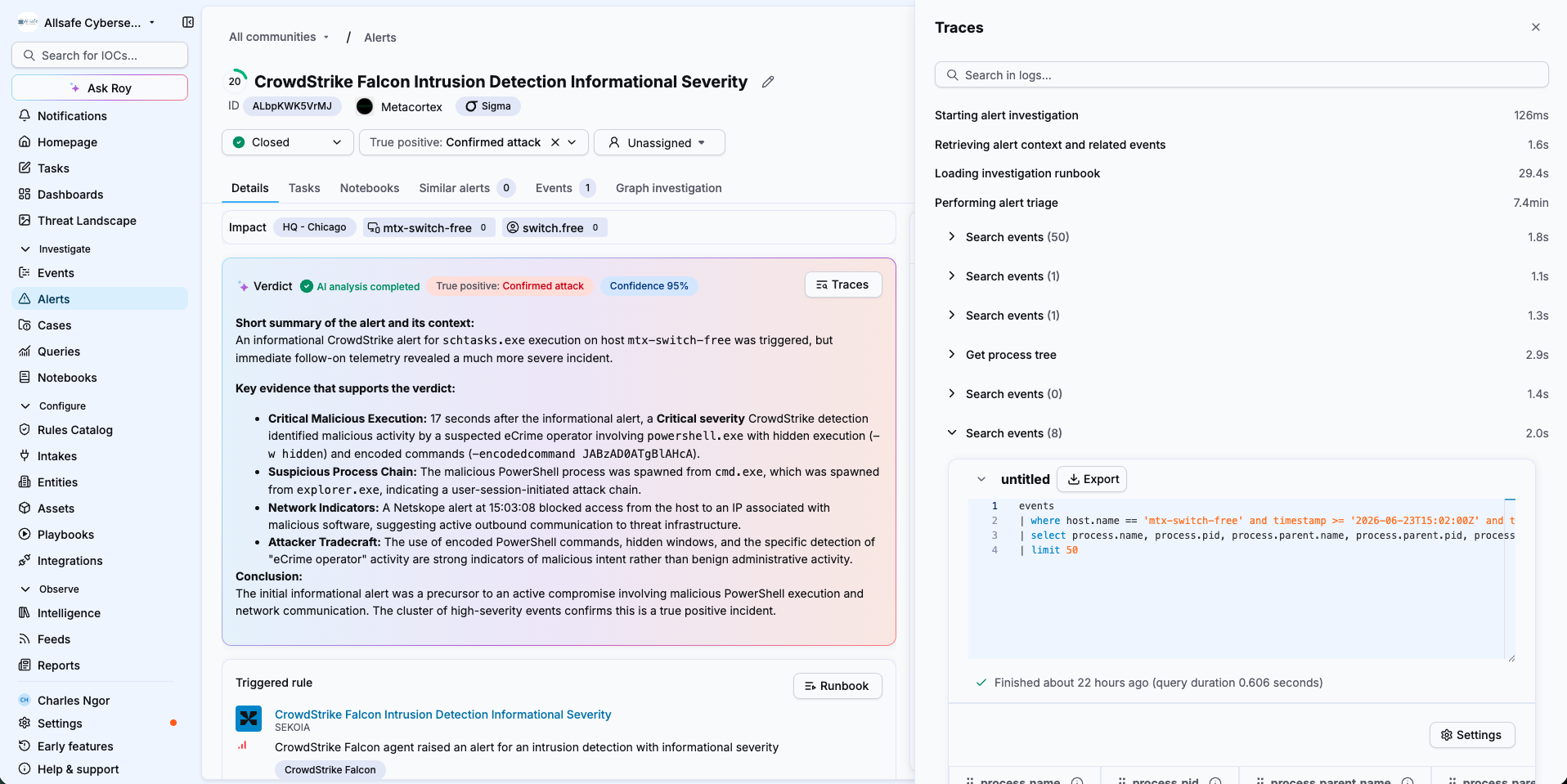
Trace retention
Traces are retained for 30 days. After that period, they are no longer available for the investigation.
Inspect an action
- Select an action, such as a Search events step, to expand it.
- View the exact query the agent ran, its duration, and the results it returned.
- Select Export to export the query results.
Search the Traces
Use the Search in logs field at the top of the panel to find a specific action or query within the timeline.
A growing audit trail
As the agent gains new integrations and tools, their actions also appear in Traces, giving you a complete audit trail across all of the agent's capabilities.
Related articles
- Investigate an alert with Elevate: How to read the verdict, findings and reasoning questions of an investigation.
- Investigate a case with Elevate: How Elevate investigates a case when you assign it to Roy.
- The Elevate investigation method: How runbooks, reasoning questions, findings and verdicts work together.